
Today we are going to walk you through on how to Create a Spectrum Email Account if you already have an active Spectrum internet package. Charter Communications (now branded as Spectrum) been one of the largest telephone and cable providers in the U.S. offers free webmail services to its subscribers.
Once you’ve set up your Spectrum.net username and password, you have the option to create a Spectrum email account or not.
One thing about the email is that not many of the Spectrum.net internet subscribers are aware of the fact that the company doesn’t create a Spectrum email address automatically for every customer. Only users who create a Spectrum.net email account will be able to receive messages through Spectrum email.
The following instructions allow a username that has NOT created an email address to create one. If you want to create a new email address, you must first create a new username.
RELATED: How to Login To Your Charter Spectrum Email Account
As a subscriber to Spectrum Internet services, you can create up to seven free Spectrum email addresses. Your primary or administrative, username and email address is used to manage your account and has full access to all account features.
How to Create Spectrum Email Account for an Existing Username
If you already have an existing Spectrum.net username and you want to create a Spectrum email account, follow the steps below.
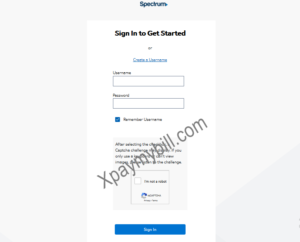
- Sign in to Spectrum.net with your username and password at https://www.spectrum.net/login/
- Go to the Menu icon in the top left corner of the page and select Manage Account.
- Choose Services.
- Select Internet.
- Choose to Create a Spectrum Email Address. If you already have a Spectrum email address, you won’t see this option. To create a brand new Charter Spectrum email address, first, you must create a new username.
- When prompted, select Create Mailbox to confirm that you want to set up a Spectrum email account (username@charter.net).
- Enter your Spectrum.net password and then select Finish.
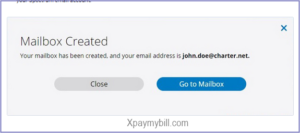
- You’ll receive a confirmation notice that your Spectrum mailbox has been created.
- Select Go to Mailbox to begin using your new Spectrum email account.
How to Create a Spectrum Email Address for a New Username
First, follow the steps below to create a new Spectrum username and password. To create a new Spectrum username online using your account information:
- Select the Menu icon in the upper left-hand corner of the page, then select Create a Username.
- Select Account Info and enter your Account Number and Security Code, located on your bill.
- Confirm that you’re not a robot and select Continue.
- Verify Your Identity by receiving a code via text, email or a phone call.
- Enter the verification code on the next screen.
- Check Your Info: First name, last name, contact email address and phone number.
- Choose Your Username: You can use your email address or phone number as your username, or create a new username.
- Enter Your Password: Create a password (follow the guidelines to create a strong password) and select your security question and answer.
The first username you create will be your Primary and will have full privileges on Spectrum.net.
How to Create Charter Spectrum Additional Email Addresses
- Sign in to Spectrum.net as usual.
- Next, select the My Account link at the top of the page.
- Near the bottom of the page, you will see a list of all existing usernames already associated with your account.
- Select Add User
- Now provide the requested details for the new user and agree to the Terms and Conditions.
- Select Create Username
- This will create your new standard username. Optionally you can upgrade a standard user to an administrative user.
Follow the instructions above with a new username (you can create up to four additional email accounts).
RELATED: How to Pay Your Charter Spectrum Bills Online
How to Unlock Spectrum Email Account
You have to be aware that Spectrum email accounts are locked after six months of inactivity, at which point incoming messages are rejected. However, all of your old emails will still be available on your account as long as your Spectrum Internet account remains active.
To unlock your email account
- Sign into your account and
- Select the Email icon located at the top right of the screen.
If you have further questions on how to Create a Spectrum Email Account both with an Existing Username or Creating a New Charter Spectrum Email Address for a New Username, use the comment section below.