This page is designed to walk you through how to make a Payment on an Amazon Store Card Payment Synchrony portal or Amazon Secured Card Account easily. We shall also be listed for you all the accepted Amazon.com credit card Synchrony payment methods.
The Amazon Store Card is accepted on Audible.com and on all merchant sites that accept payments using Amazon Pay. Items that currently may not be purchased with an Amazon Store Card include:
- Rentals
- Treasure Truck
- Digital Subscriptions (including newspapers and magazines)
- Purchases on Amazon subsidiaries (excluding Audible)
- Whole Foods Market
You can make a one-time or recurring Amazon Store Card payment or on your Amazon Secured Card Account by signing into your Synchrony Bank online account. The www.syncbank/amazon payment due date for your account can be found on your monthly billing statement, or by accessing your online account.
How to Make a One-Time Amazon Store Card Payment Synchrony
To make an Amazon Store Card payment or Amazon Secured Card Account, do one of the following:
- Sign in to your Synchrony Bank account at http://www.syncbank.com/amazon or link your Amazon and Synchrony accounts to navigate directly to Synchrony from the Amazon site.
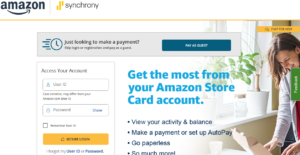
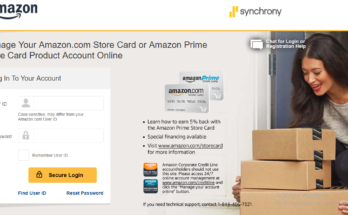
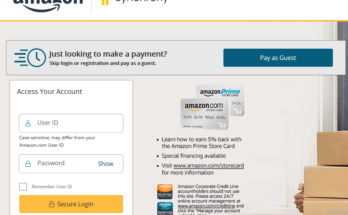
- Provide your User ID “Case-sensitive, may differ from your Amazon.com User ID” and Password
- Click on the “Secure Login” button to access your account
- Hover over Payments at the top of the page, then scroll down and select View and Make Payments.
- In the first field, select Minimum Payment, Statement Balance (as of your last statement), Current Balance, or Other.
- In the second field, select the Payment Date.
- In the third field, select an existing payment method. You can also select Add New Payment Method or Update Payment Methods to update your payment preferences.
- Verify that the information is correct and select Submit Payment.
Note: If this is your first time you are logging into your Amazon Synchrony account, you’ll need your full account number in order to complete the registration and establish a login and password for your Synchrony account.
How to Set Up Amazon.com Store Card Automatic Payment Method
Make a recurring payment:
- Sign in to your Synchrony Bank account at http://www.syncbank.com/amazon or link your Amazon and Synchrony accounts to navigate directly to Synchrony from the Amazon site.
- Hover over Payments at the top of the page.
- Then scroll down and select Manage Autopay.
- Select Minimum Payment, Statement Balance (as of your last statement), Current Balance, or Other.
- Select your bank account and review the terms and conditions for setting up a recurring payment.
- If you agree, select Set Up Autopay.
You’ll receive confirmation that an Amazon credit card recurring payment has been established and that you can cancel your recurring payment any time before the scheduled payment date.
Note: If this is your first time accessing your account, you’ll need your full account number in order to complete the registration and establish a login and password for your Synchrony account.
How Do I Pay my Amazon store Card Synchrony By Phone
If you want to make your Amazon Store card payment by phone, call Synchrony Bank at 1-866-634-8379. A payment made through the automated phone system or with a Customer Service representative is always free of charge.
How to Make Amazon Store Card Payment Synchrony by Mail:
Send a check or money order made out to “Synchrony Bank / Amazon” with the remittance slip from your monthly statement for the amount you wish to pay to the following address:
- Synchrony Bank / Amazon,
- P.O. Box 960013, Orlando, FL 32896-0013.
Accepted www.syncbank/Amazon Bill Payment Methods
Amazon.com accepts a variety of payment options, including credit and debit cards.
The following Amazon.com payment methods are available for use:
- Visa (including the Amazon Rewards Visa Signature Card)
- Amazon Store Card
- Amazon Secured Card
- MasterCard/EuroCard
- Discover Network
- American Express
- Diner’s Club (U.S. billing addresses only)
- JCB
- NYCE
- STAR
- China UnionPay (credit card only)
- Visa, MasterCard, or American Express prepaid credit or gift cards
You can add a completely new payment card or change your existing payment details, without having to place an order, in your Amazon Wallet.
Apart from the Amazon Store Card Payment Synchrony or other payment methods as listed above, you can also use Amazon Gift Cards to pay for your order.